Step 1
Download the extension zip
Use the download button above to save the latest Genrupt Chrome extension to your computer.
Loading experience
Connect Genrupt to Amazon to scrape up to 500 reviews per listing, scrape demographics, run market analysis for any niche, and generate visual reports for your team.
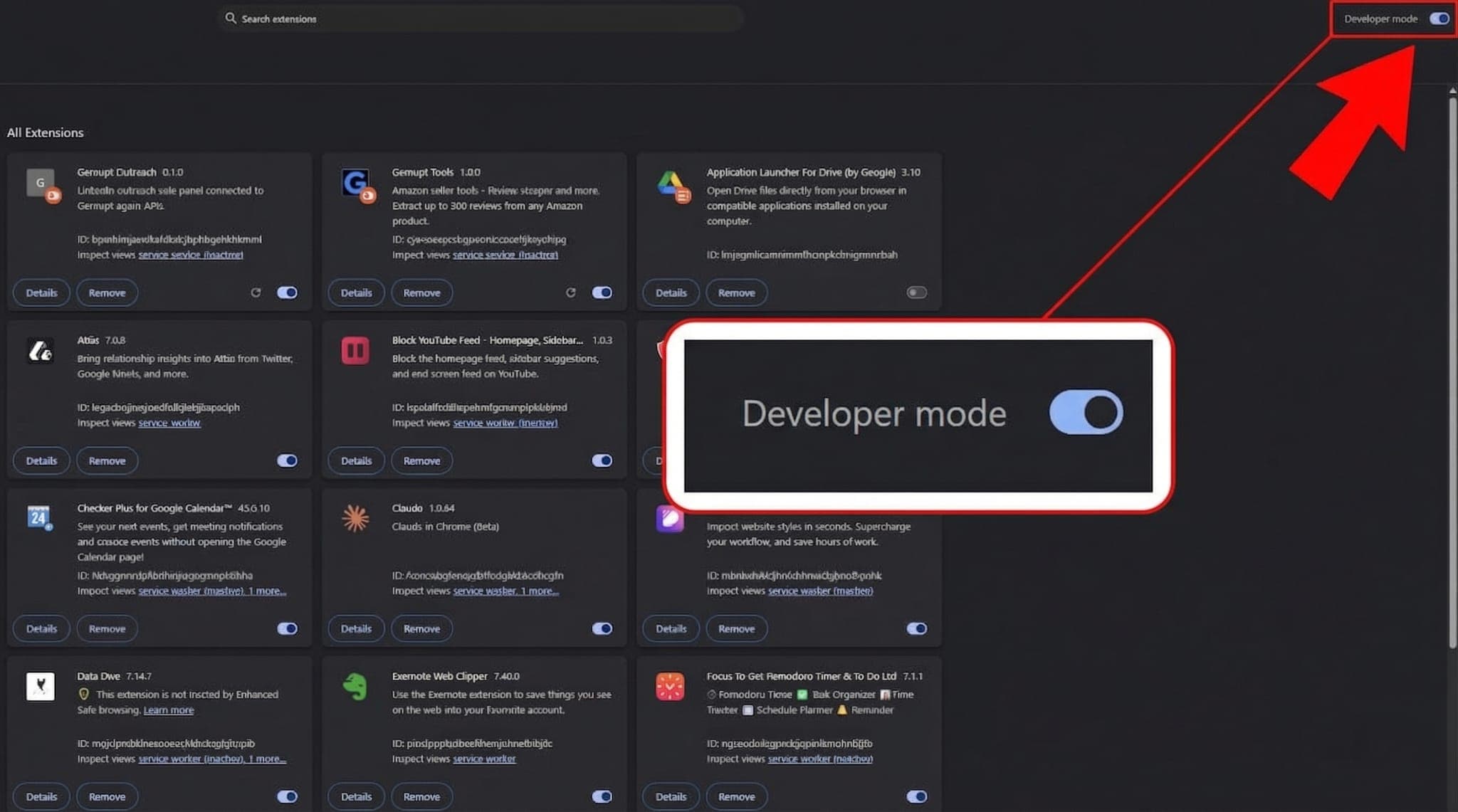
In Chrome, go to and turn on Developer mode using the switch in the top-right corner.
If Chrome does not load the extension on the first try, these are the most common fixes.
Make sure you extracted the zip first. Load unpacked only works with a normal folder.
Choose the extracted extension folder itself. If Chrome opens an empty or incorrect folder, go back and select the folder created after extraction.
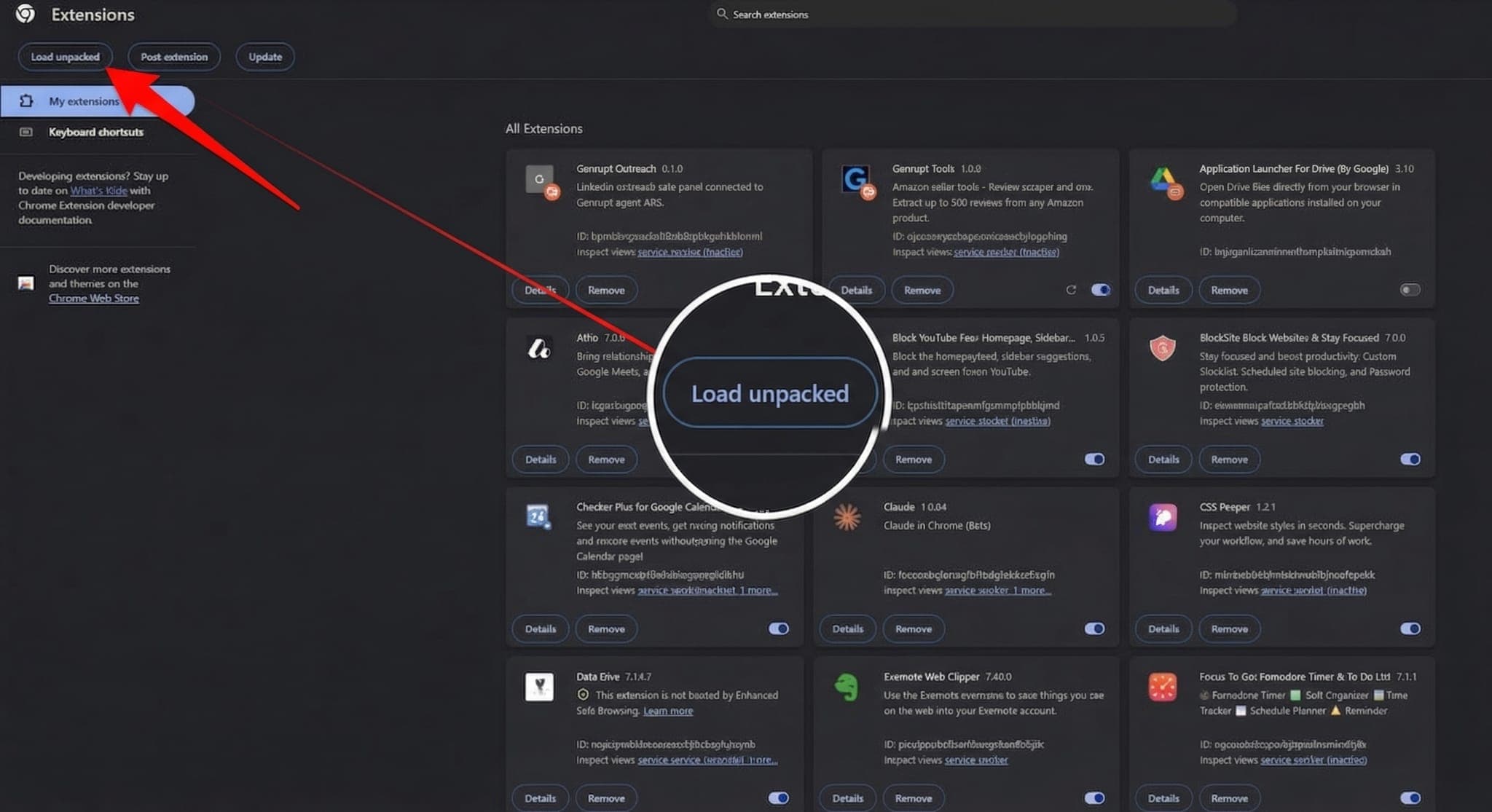
Developer mode is probably still off. Turn it on in the top-right corner of chrome://extensions and the button should appear.
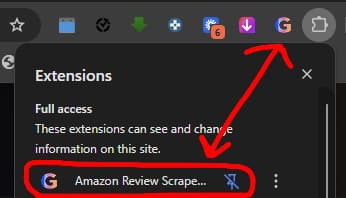
Click the G icon in Chrome, then pin Genrupt so it stays visible in your toolbar.
Click Load unpacked, then choose the extracted Genrupt extension folder from your computer.